When your PC feels slow, freezes at the worst moment, or drops frames in games for no obvious reason, it’s usually not the CPU or GPU causing trouble — it’s the hidden bottlenecks most people overlook. RAM that’s too slow, an aging SSD, or outdated drivers can throttle a perfectly strong system.
This guide walks you through the real-world bottlenecks I’ve seen again and again, and the practical fixes that actually make a noticeable difference in speed, stability, and overall performance.
Why These “Small” Parts Create Massive Bottlenecks
Your PC is only as fast as its weakest component.
Even if you’re running a powerful processor or a mid-to-high-end graphics card, a sluggish SSD or mismatched RAM can drag everything down.
By the end of this guide, you’ll be able to identify the exact issue on your system and confidently fix it without guesswork.
1. RAM Bottlenecks: When Your System Runs Out of Breathing Room
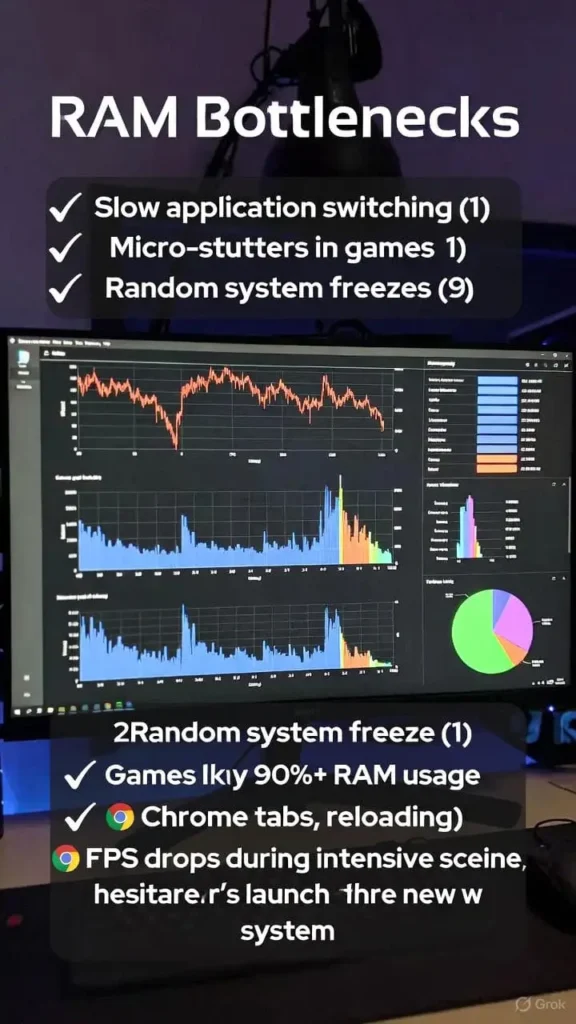
RAM issues show up in subtle ways: slow app switching, micro-stutters in games, and random freezes when multitasking.
Most people assume they need a new CPU — when in reality, their system simply doesn’t have enough memory or is using it inefficiently.
How to Tell RAM Is Your Bottleneck
- Games constantly hit 90%+ RAM usage
- Chrome tabs reload every few minutes
- FPS drops during big scenes, even with a solid GPU
- System hesitates when launching apps
Fixes That Actually Help
1. Increase your RAM capacity
If you’re under 16GB in 2025, you’re handicapping your system.
For gaming or editing, 16–32GB is the real sweet spot.
2. Match your RAM speed and channels
Mixed sticks (different speeds/sizes) often force everything to run at the lowest speed.
Enable XMP/DOCP for proper performance.
3. Close high-memory background apps
Launchers, RGB software, and browsers silently eat RAM.
These small changes often remove 50–70% of RAM-related stutters instantly.
2. SSD Bottlenecks: The Silent Killer of Load Times
A failing or slow SSD can make a powerful PC feel ancient.
Games load slowly, Windows boots like a spinning-HDD era machine, and apps take forever to open.
Signs Your SSD Is the Problem
- Windows takes more than 15–20 seconds to boot
- Copying files is painfully slow
- Games have long load times or pause during texture streaming
- Random “Not Responding” moments
Fixes That Work in Real Life
1. Check SSD health
Use tools like CrystalDiskInfo to see wear level and bad sectors.
2. Switch from SATA to NVMe if possible
Even a budget NVMe drive can transform overall responsiveness.
3. Free up 10–20% storage
SSDs slow down drastically when they’re near full capacity.
4. Turn off unnecessary startup apps
This alone can cut your boot time in half.
A healthy SSD won’t magically boost FPS, but it will make every part of your PC feel snappier and more reliable.
3. Driver Bottlenecks: The Most Ignored Performance Problem
Drivers rarely get attention — yet outdated ones can cause low FPS, crashes, high CPU usage, and even throttling.
Clear Symptoms of Driver Issues
- Stuttering that appears after a Windows update
- GPU never reaches full utilization
- Random crashes in games
- Sound or network issues out of nowhere
The Fix
1. Update GPU drivers manually
Use NVIDIA, AMD, or Intel’s official software — avoid Windows auto-drivers.
2. Update chipset & motherboard drivers
These directly affect stability, RAM communication, and CPU scheduling.
3. Avoid “driver booster” apps
They often install incorrect drivers that cause new problems.
A clean, properly updated driver environment is one of the fastest ways to stabilize a struggling machine.
How to Check Your Bottleneck in Minutes
To identify the real cause quickly, check these three areas while your PC is under load:
- RAM usage percentage
- SSD read/write spikes
- CPU/GPU utilization
- Background tasks consuming resources
A bottleneck will be reached when one element is stretched to maximum capacity with others lying idle.
Final Thoughts
It is not about purchasing the most costly hardware and fixing PC bottlenecks but balance.
When the RAM, storage, drivers, and CPU/GPU are in symbiosis, all things are faster: games, labor, being able to multitask, and normal use.
You can now identify and resolve the problems that slack down the majority of PCs.
Modify these aspects and you will experience an epic change without necessarily remaking your whole arrangement.